Tutorial 4 of 6
Vibration spectrum, seismograph and step counter
Intermediate 9 min
Find a machine's vibration frequency, watch a live seismogram with events and count steps with cadence and distance.
Three Pocketlab instruments read the phone's accelerometer: Vibration, Seismograph and Step counter. They record the same CSV format, so a recording from one opens in the others and in the matching tools.
On a computer there is usually no accelerometer: try the example recordings to see how each instrument works.
Vibration spectrum
- Choose Vibration, pick a Recording length and press Record vibration.
- Put the phone flat on the machine — a washing machine during spin, a fan, a pump — and do not touch it.
- When the time is up you see the strongest peak in hertz and as rpm, its amplitude, the RMS acceleration and a table of peaks.
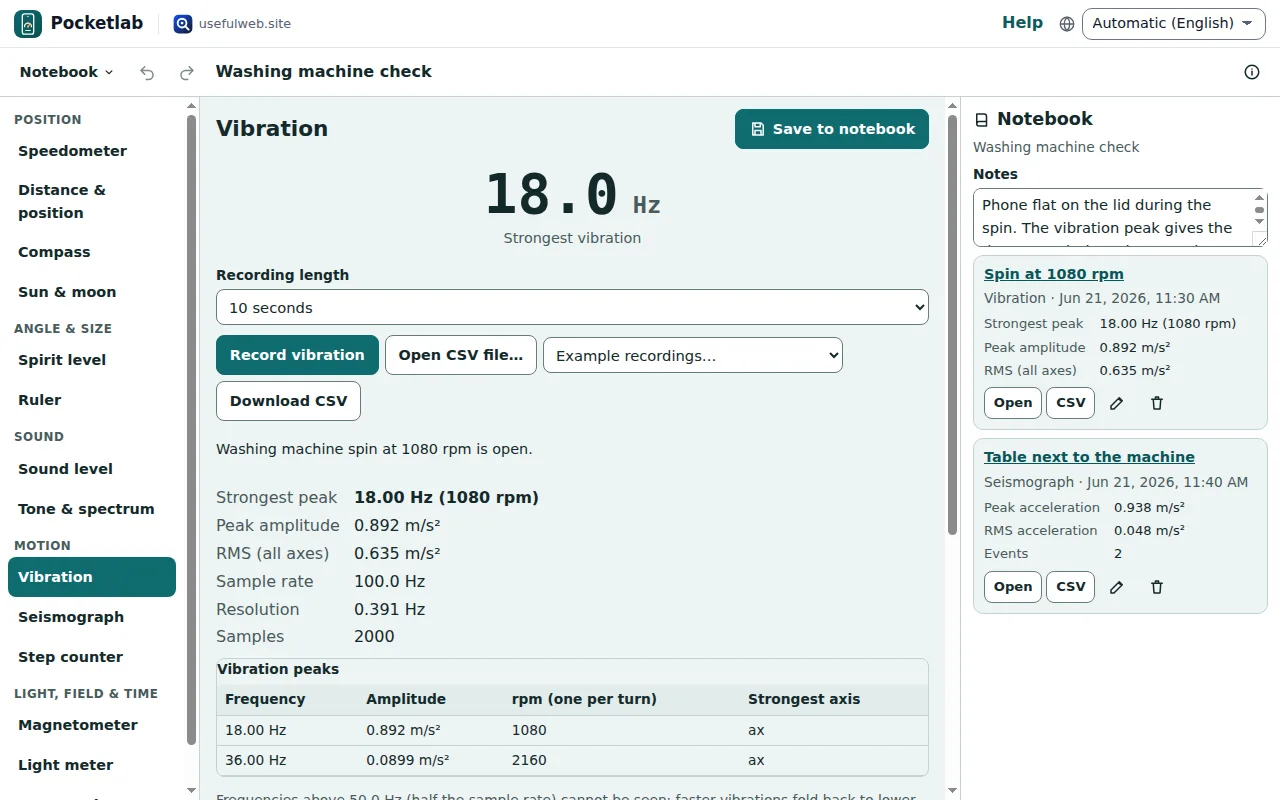
The rpm column assumes one shake per turn, which is what an unbalanced drum or fan blade causes. Phones sample motion 50 to 500 times a second and see vibrations up to half that rate — enough for household machines, not for bearings. The engine is the ohmforge-vibration-spectrum tool.
Seismograph
- Choose Seismograph, pick a length and press Start seismograph.
- Lay the phone flat on the floor or a table.
While it records, a live seismogram shows the shaking of the last seconds. Afterwards you get the peak acceleration, the RMS, the trace of the whole recording and a list of events: moments when the short-term shaking rose to three times the long-term average (the STA/LTA trigger seismologists use). The first ten seconds only fill the long-term average.
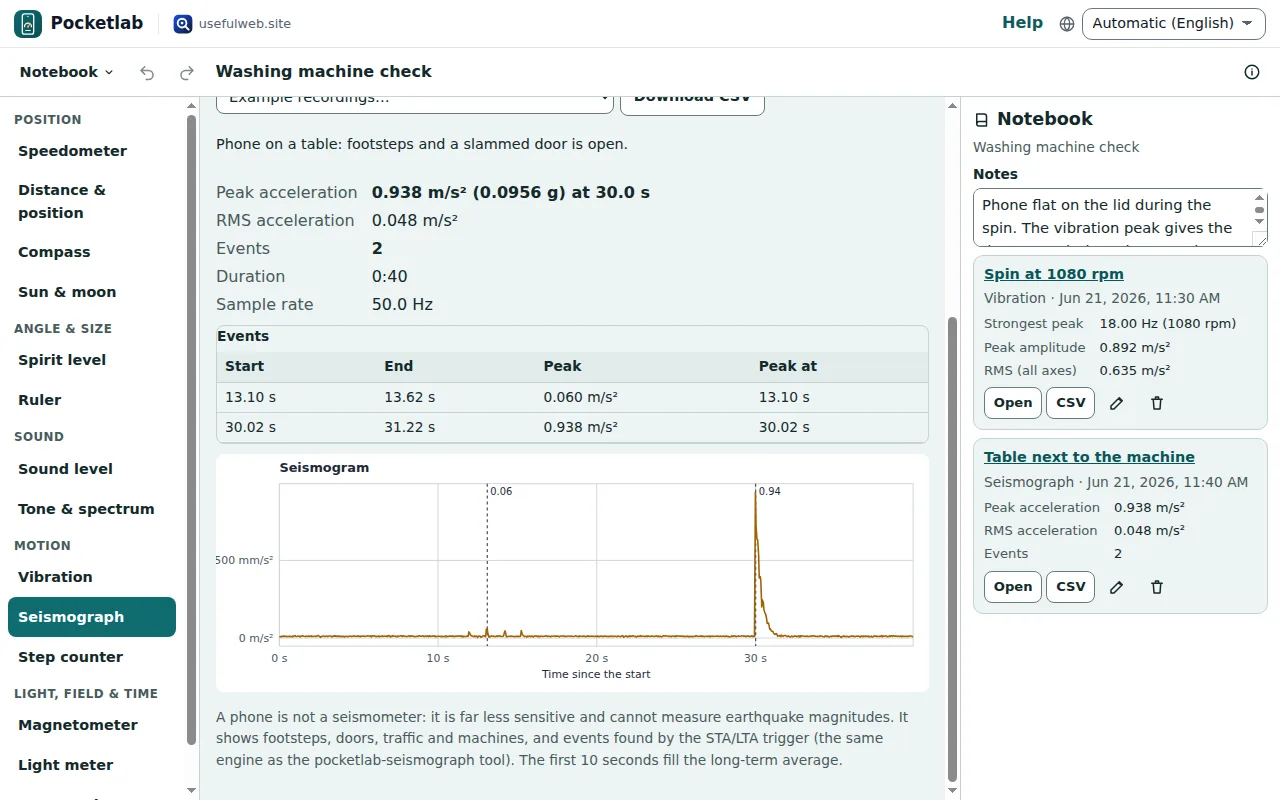
A phone is not a seismometer. It shows footsteps, doors, traffic and machines — not earthquake magnitudes. The pocketlab-seismograph tool analyses the downloaded CSV the same way.
Step counter
- Choose Step counter and set your Step length: walk ten steps, measure the distance and divide by ten.
- Press Start step counter, put the phone in a trouser pocket or hold it, and walk.
The big number counts steps while you walk. When you stop you see the cadence (steps per minute), the estimated distance, the duration and a table of steps per minute. Sensitivity from 1 to 10 decides how light a step may be.
Counts are usually within a few percent on even ground; stairs, shuffling, cycling and car rides give wrong counts. Pocketlab is not a medical or fitness device. The pocketlab-step-counter tool counts a CSV the same way.
Save and export recordings
Save to notebook keeps the raw samples, so you can reopen the recording later — in the notebook, Open a log and choose Open in Vibration (or Seismograph, Step counter) to analyse it again with other settings. Download CSV writes time_s,ax,ay,az, which every one of the three tools reads.
Ready to try it?