Tutorial 2 of 6
Spirit level, plumb line, compass with true north and the sun finder
Beginner 9 min
Level shelves with a calibrated spirit level, convert slopes, find true north with the compass and spot the Sun and Moon.
This tutorial covers the instruments that tell you which way and how steep: the Spirit level with plumb line, angle finder and slope converter, the Compass with true north, and Sun & moon.
The motion sensors start only when you press Start. On an iPhone the browser asks for permission to use motion and orientation each time you open the page.
Spirit level and inclinometer
- Choose Spirit level and press Start spirit level.
- Lay the phone flat on a shelf or a table: the round bubble moves to the high side, and you read the tilt left/right and front/back in degrees and the steepest slope in percent and millimetres per metre.
- Stand the phone on its long edge against a beam or a frame: the bar level and the plumb line appear. The plumb line always hangs straight down, and From vertical (plumb) tells how far a post leans.
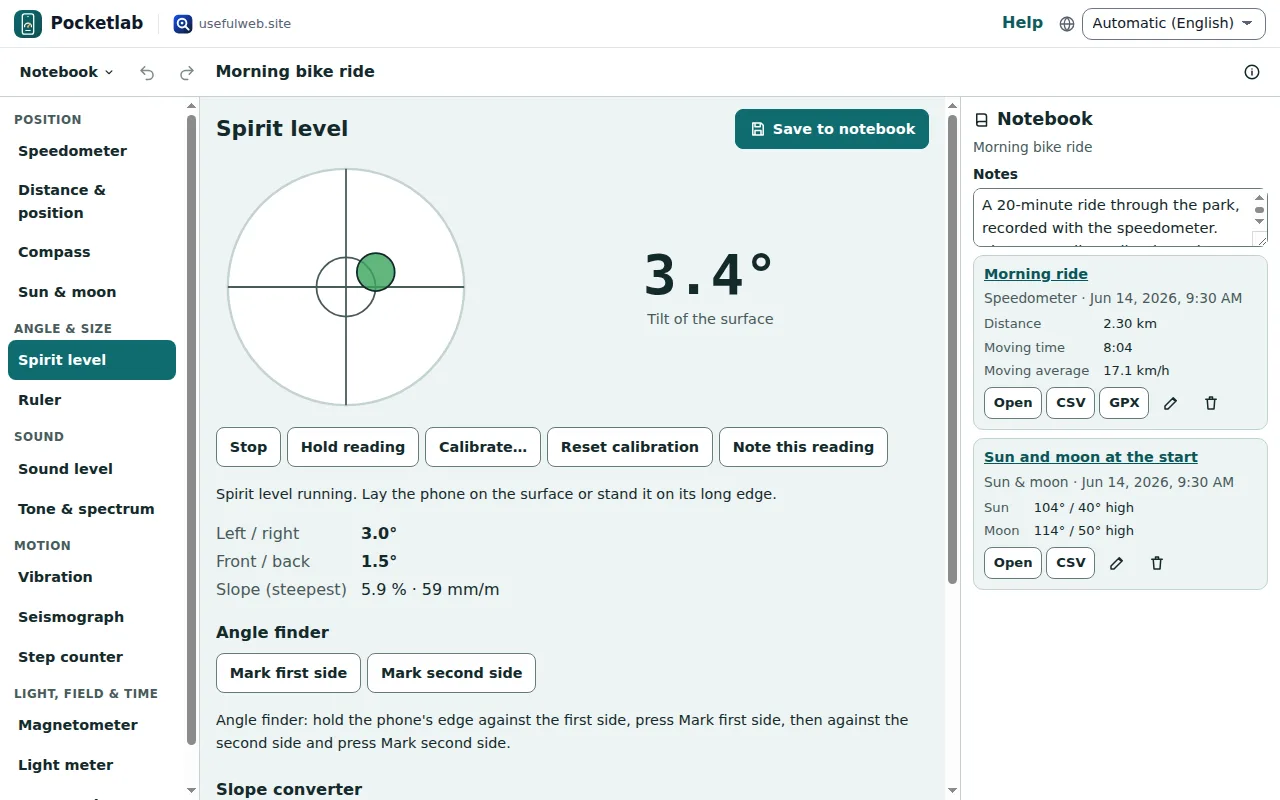
Hold reading freezes the numbers so you can read them after taking the phone away. Note this reading adds the reading to a list; Save to notebook keeps the list with the notebook.
Calibrate once per phone
Phones are rarely exactly flat — a camera bump tilts them. Calibrate once:
- Lay the phone on a flat spot and press Calibrate….
- Turn it by 180° on the same spot (top edge where the bottom edge was) and press Calibrate: step 2.
Pocketlab takes the mean of both readings as the offset and keeps it on this device. Reset calibration removes it. Do the same once on the long edge for the edge level.
Angle finder and slope converter
The angle finder measures the angle between two surfaces: hold the phone's edge against the first side and press Mark first side, then against the second side and press Mark second side.
The slope converter below works on any computer too: type a slope in degrees, percent, a 1 : n ratio or millimetres per metre and see all the others, plus the height difference over a length. It is the pocketlab-slope-converter tool.
Compass with true north
- Choose Compass and press Start compass. Hold the phone flat, away from steel, magnets and speakers.
- Under Magnetic declination (true north) press Use my position (or type latitude and longitude) and Compute declination.
A compass needle points to magnetic north. The declination from the World Magnetic Model WMM2025 turns it into true north for your place and date. The big number then shows the true heading, and a small orange mark on the dial shows true north.
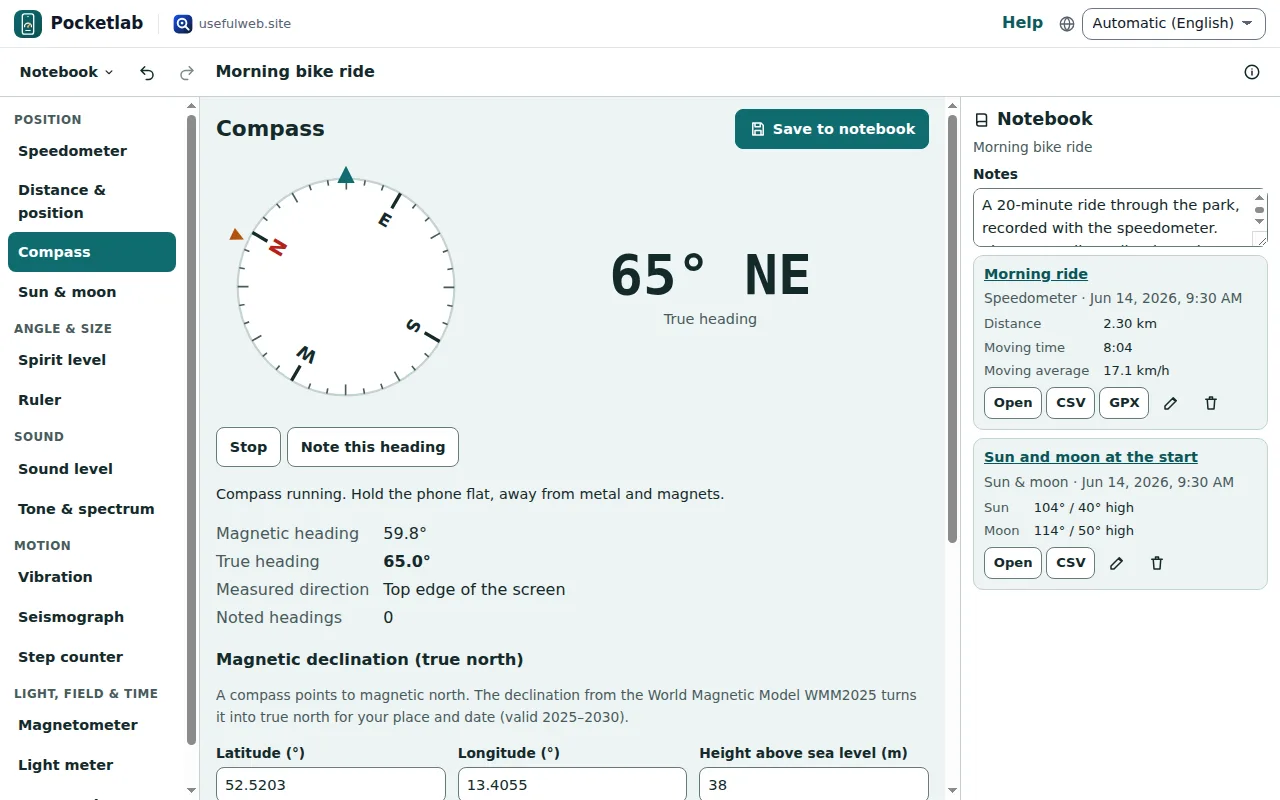
Note this heading keeps a list of bearings for the notebook. The same model is the ohmforge-magnetic-declination tool.
Find the Sun and the Moon
Sun & moon shows where the Sun and the Moon stand now for your position: direction from true north, height above the horizon, rise and set times and the Moon's phase. The round sky dome puts the horizon at the edge and the zenith in the middle.
Press Point with the compass, choose Sun or Moon under Find and turn until the text says straight ahead — then look up by the given angle. It uses the Skyfold ephemeris, the same as the skyfold-planet-positions tool. Never look straight into the Sun.
Ready to try it?